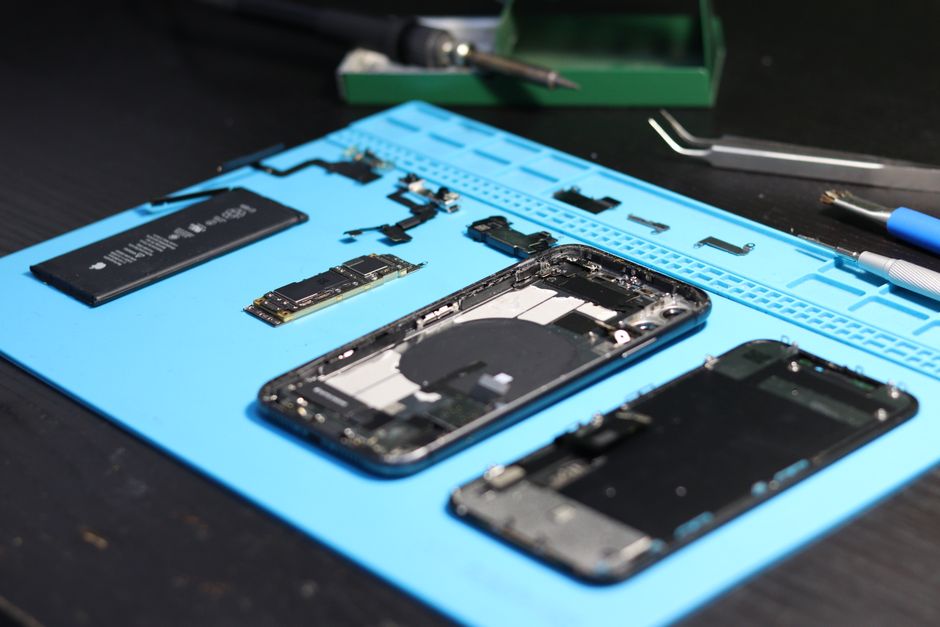
A MacBook that suddenly shows screen artifacts, random lines, or a black display may be dealing with a failing video chip. The graphics processing unit, or GPU, is soldered to the logic board, and when it fails, the computer can become difficult or impossible to use. MacBook video chip repair gives owners a way to fix the problem without replacing the whole machine. Understanding the symptoms, the repair process, and the cost difference between a full logic board swap and a targeted chip repair makes the decision much easier. There are two main paths: replace the entire logic board, or repair the video chip on the existing board.
Signs Your MacBook Video Chip Is Failing
Graphics failures can show up in different ways. The first sign is often visual: horizontal or vertical lines, flickering, distorted colors, or repeating patterns across the display. Some users report a screen that goes completely blank, while others see artifacts only when running graphics-heavy software. System freezes or sudden restarts during video playback, gaming, or photo editing can also point to GPU trouble. If the display works fine for basic tasks but corrupts under load, the video chip is a likely cause.
- Colored lines, checkerboard patterns, or visual noise on the display
- Screen flickers or goes black, sometimes returning after a restart
- Freezes and crashes during graphics-intensive tasks
- External monitors fail to display or show the same distortion
One quick diagnostic step is to boot the Mac into safe mode. Safe mode can confirm that the issue is related to the graphics system, although it does not fully enable integrated graphics in all models. If the screen stays stable in safe mode, the video chip deserves a closer look. The same types of symptoms can appear on iMac models, where the GPU is also soldered to the logic board and can fail in similar ways.
Why MacBook Video Chips Fail
Video chips on MacBooks are soldered directly to the logic board. The connection between the GPU and the motherboard relies on tiny solder balls, and those connections can degrade over time. When the solder fails, the chip loses contact with the board, and graphics output becomes unstable or stops altogether. This is why a failing GPU is often treated as a soldering issue rather than a dead chip. In many cases the video chip itself still functions, but the connection around it has broken down. That distinction matters because it opens the door to a repair method called reballing, which restores the connection without requiring a brand new logic board. Certain models, including the 17-inch MacBook Pro, have become well known for GPU failures as they age.
Logic Board Replacement vs. Video Chip Repair
When a MacBook GPU fails, repair options generally fall into two categories. The first is to replace the entire logic board. This is the most complete solution, but it is also the most expensive. The second option is to replace the video chip itself, a specialized board-level repair performed by independent technicians. The right choice depends on the age of the machine, the cost of each option, and the warranty offered.
| Factor | Logic Board Replacement | Video Chip Repair |
|---|---|---|
| What is fixed | The entire logic board is swapped out | The GPU chip is reballed or replaced on the existing board |
| Typical cost | $850 to $1,100 | Around $190 for some models |
| Turnaround | Depends on parts availability | Targeted repair, often faster |
| Warranty | Varies by provider | Often 6 months on the same repair |
The cost difference is significant. A full logic board replacement can run between $850 and $1,100, while some independent services list a 17-inch MacBook Pro GPU video chip repair at around $190. For an older MacBook, the lower-cost chip repair can extend the life of the machine for a fraction of the price of a new logic board. The logic board route makes more sense when the board has other issues or when a complete factory-style restoration is preferred.
How Video Chip Reballing and Replacement Works
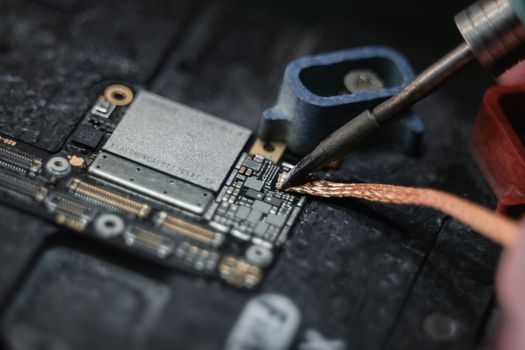
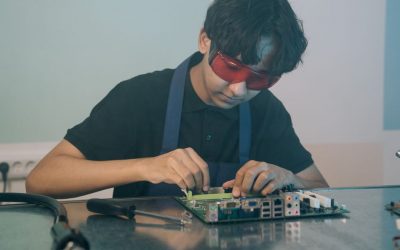
Reballing is a technique used to repair or replace the solder balls that connect the GPU to the motherboard. During the process, the technician applies heat to separate the video chip from the board, removes the old solder, and reattaches the chip with fresh solder balls. If the chip itself is damaged, the failing unit can be removed and replaced with a working one. The process requires specialized heat and soldering tooling, along with experience working on delicate logic boards. A successful reballing or chip replacement restores the electrical path between the GPU and the motherboard, which brings the display back to normal. This level of work goes far beyond what a general computer shop can offer, which is why board-level repair specialists handle most video chip repairs.
Warranty and Reliability Considerations
Video chip repair is only worthwhile if the fix lasts. Reputable shops stand behind their work with a warranty on the same repair. A 6-month warranty is common for this type of service, and some shops report that customers never come back for the same issue. In fact, some technicians describe the warranty as a formality because the repair holds up so well in normal use. When comparing options, ask what the warranty covers and whether it applies specifically to the video chip repair. The answer reveals how confident the technician is in the quality of the reballing or replacement work. Quality parts and clean soldering make the difference between a repair that lasts for years and one that fails again within months.
Is Video Chip Repair Worth It on an Older MacBook?
Many MacBook owners face this question when their machine reaches six or more years of age. The 2011 MacBook Pro is a well-known example, as many of those models developed graphics failures over time. Some owners had their logic boards replaced during a recall program and continued using the laptop for years afterward. One user reported keeping a 2011 MacBook running well into 2018 with no major complaints. If the rest of the laptop is in good shape, a video chip repair at the lower end of the price range can be a smart investment. Compare that cost against a new MacBook or a full logic board replacement, and factor in the value of the data and setup already on the machine. For a laptop that still handles daily work, spending a few hundred dollars on a chip repair is often more practical than retiring the device.
Choosing the Right Repair Shop
Video chip repair is not a standard service at every repair shop. It takes board-level experience, proper heat tooling, and access to replacement chips. Before handing over a MacBook, ask how long the technician has been performing GPU reballing, what warranty is included, and whether the repair replaces the chip or simply reheats the existing one. A technician who offers a written warranty and explains the process clearly is more likely to deliver a durable fix. Independent Mac repair shops that specialize in logic board work are the best place to start, whether you are looking in Toronto or elsewhere. A shop that regularly handles logic board repairs will also be honest about cases where a chip repair is not worth the effort.
Frequently Asked Questions
How much does MacBook video chip repair cost?
Costs vary by model and repair shop. As a reference, some independent services list a 17-inch MacBook Pro video chip repair at around $190, while a full logic board replacement can run between $850 and $1,100. The exact quote depends on the specific MacBook model, the extent of the damage, and whether the technician needs to replace the chip or reball the existing one.
What is GPU reballing?
Reballing is a board-level repair technique used to fix the solder balls that connect the graphics processing unit to the motherboard. Over time, those solder connections can degrade and lose contact with the board. The technician removes the GPU chip, cleans the old solder, and reattaches the chip with fresh solder balls to restore the electrical connection.
How long does a MacBook video chip repair last?
A quality video chip repair can extend the life of a MacBook for years. Repair shops that perform this service typically offer a 6-month warranty on the same repair. Some shops report that customers never return for the same issue, which suggests that a properly performed reballing or chip replacement holds up well under normal use.
Can a MacBook GPU be fixed without replacing the logic board?
Yes. In many cases the video chip itself is still functional, and the problem is the solder connections underneath it. A technician can use heat and soldering tooling to reball the chip or replace it directly on the existing logic board. This targeted approach costs less than a full logic board replacement and avoids swapping out the entire board.

0 Comments