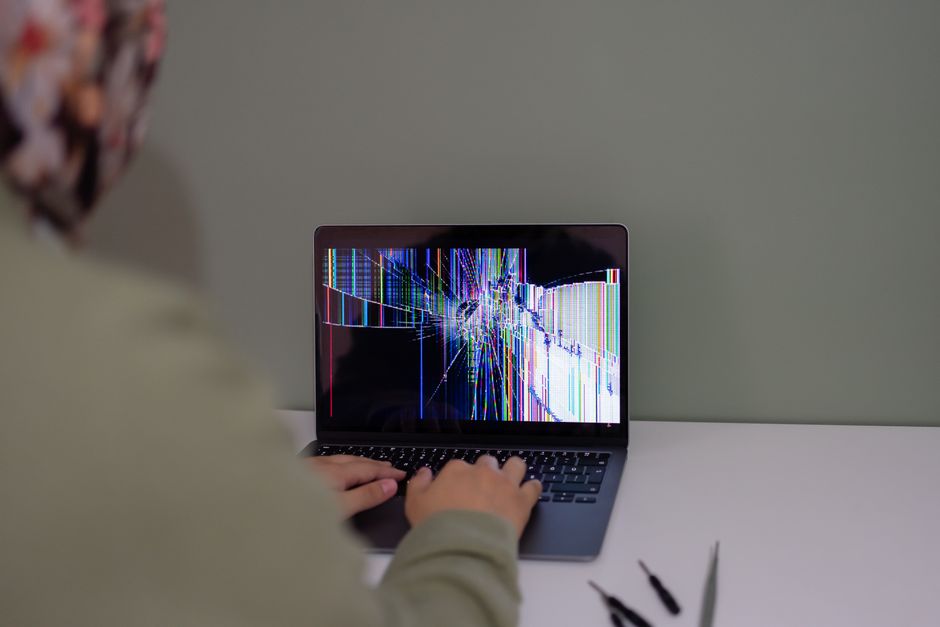
A cracked MacBook screen usually announces itself in one of two ways. Sometimes it is a spiderweb in the corner after a laptop bag took a knock, and sometimes it is a black band, a flickering image, or a display that quits the moment you tilt the lid. Either way, the damage is physical, and the fix is a screen replacement rather than a software setting.
In Toronto, that repair is available the same day from independent shops, including Doctor Mac at 727 Bloor St W near Christie Station in Koreatown. Doctor Mac works on MacBook Pro and MacBook Air hardware, from Intel models through the M-series chips, and advertises same-day or roughly one-hour turnaround on many jobs along with a 90-day warranty. You can reach the shop at 416-278-9058 to confirm part availability for your model before you travel.
What a MacBook screen replacement actually involves
On most modern MacBook Air and MacBook Pro models, the display is a laminated unit. The glass, the panel behind it, and the surrounding frame are bonded together, so a repair normally means swapping the whole display assembly instead of gluing on a new sheet of glass. That is why quotes are higher than the glass-only repairs people remember from older laptops.
The job itself is not just unplugging one part and plugging in another. A technician has to:
- Confirm the screen is the actual fault and not the display cable, a connector, or a board-level problem.
- Power the machine down safely and back up data if the customer has not done so.
- Remove the bottom case and disconnect the battery before touching display connectors.
- Separate the display assembly from the chassis without stressing the hinges or the aluminium frame.
- Fit the replacement assembly, reconnect everything, and test brightness, colour, sleep and wake, and hinge movement.
Because the diagnosis step matters so much, a shop that also handles logic board repair is useful. Doctor Mac services cracked screens alongside battery, keyboard, trackpad, storage and liquid damage work, which matters if the initial diagnosis turns out to be wrong.
Cracked glass, black screen, or something else?
Not every dead display needs a new panel. The symptom often points to the cause, and describing it accurately when you call saves time.
- Visible cracks, chips, or dark blotches spreading from a corner usually mean a damaged panel.
- Thin vertical or horizontal lines, or a white cloudy patch, point to pressure on the LCD.
- An image that appears only at certain lid angles often indicates a worn or pinched display cable.
- A completely black screen while an external monitor still works narrows things down to the display, the cable, or the graphics side of the board.
- Flickering that changes when the laptop warms up can be a connector issue rather than a cracked panel.
Getting this wrong is expensive in the wrong direction. Replacing a display when the real fault is a cable wastes money, and replacing a cable when the panel is damaged solves nothing. A proper bench diagnosis before parts are ordered is the difference.
What MacBook screen repair costs in Toronto
Doctor Mac’s screen repair page notes that prices typically range from $250 to $900, reflecting the quality of parts and the level of expert service involved. That spread is wide because the variables are wide. A 13-inch Air from an earlier generation and a larger Pro display are not the same part, and a genuine Apple display costs more than a high-quality aftermarket assembly.
Apple takes a different approach. On Apple’s Canadian service and repair page for Mac laptops, you start by describing the problem, and the site shows service options that include AppleCare service options. The same page lists accidental damage service figures, with screen damage and external enclosure damage shown at $69 and other accidental damage at $209. Those numbers come with conditions attached, so check the page for your exact model and coverage before you use them to compare.
When you request a quote, ask what is included. The useful questions are:
- Is the quoted price for the display assembly alone, or does it include labour and tax?
- Is the replacement a genuine Apple part or a compatible aftermarket assembly?
- Does the quote change if the hinge, cable, or enclosure is also damaged?
- Is there a diagnostic fee if you decide not to proceed?
- How long is the warranty, and what does it cover?
Same-day service in Toronto: what to expect
Same-day screen replacement is common in Toronto. Doctor Mac advertises same-day repair on LCDs and other common jobs, and other shops in the city promote same-day LCD replacement across MacBook models. The catch is always parts availability. If your MacBook is a current model and the shop keeps that assembly in stock, the work can often be finished within hours. If it is an unusual configuration, the shop may need to order the display first.
To make same-day service realistic, do a few things before you go:
- Back up your data with Time Machine or another method you trust.
- Call with the exact model, screen size, and year so the part can be checked in advance.
- Bring the charger, since testing after the repair needs power.
- Ask whether the shop wants the machine dropped off in the morning or whether an appointment is better.
- Confirm the price and warranty in writing before you approve the work.
How to choose a MacBook screen repair shop in Toronto
Toronto has a deep bench of Mac repair options. Yelp maintains a running list of Mac repair shops in the city, some businesses run as multi-location networks, and others advertise original Apple parts, free diagnostics, or mail-in service for customers outside the core.
Rather than chasing the lowest advertised number, weigh these factors:
- Warranty terms. Doctor Mac states a 90-day warranty on its repairs, which gives you a window to test the display properly.
- Parts quality. Ask directly whether the assembly is a genuine Apple part or a compatible replacement, and what that means for colour and brightness.
- Diagnostic ability. A shop that also repairs logic boards and liquid damage can handle the case where the screen is not the only problem.
- Location and turnaround. Koreatown, near Christie Station, is convenient for downtown, the Annex, and Midtown customers who want to drop off and pick up the same day.
- Real customer feedback. A Toronto Reddit user reported a good experience with mactorontorepair.ca for a broken screen replacement on an M1 MacBook Air, which is the kind of specific, model-level report worth reading.
Older MacBook or newer M-series: is the repair worth it?
For a MacBook that is otherwise healthy, a screen replacement is usually far cheaper than a comparable new machine. The decision gets harder when the laptop has other wear. If the battery has lost most of its capacity, the keyboard is failing, or the machine has had liquid exposure, the screen bill is only part of the picture.
The practical approach is to ask for a quote on the screen by itself, then ask the technician to check the battery condition and anything else that looks tired while the lid is open. You then have one number for the screen and one number for everything else, and you can decide with real information instead of guessing. If the total climbs close to the price of a replacement laptop, that tells you something useful.

Preventing the next cracked screen
Most MacBook screen damage comes from pressure, not from drops. A few habits reduce the risk considerably.
- Never close the lid with anything resting on the keyboard, including earbuds, a pen, or a charging cable.
- Skip thick webcam covers, which press against the display when the lid shuts.
- Carry the laptop in a padded sleeve rather than loose in a backpack with books.
- Open the lid from the centre of the top edge, not from one corner.
- Keep drinks away from the machine, since liquid damage is a separate and often larger repair.
- Clean the screen with a soft dry cloth and light pressure, never by pressing on the panel.
Frequently Asked Questions
How much does MacBook screen repair cost in Toronto?
Doctor Mac’s screen repair page notes typical prices ranging from $250 to $900, depending on the model, the quality of the replacement part, and the service involved. Apple’s Canadian support page instead lists accidental damage service figures, showing screen damage and external enclosure damage at $69 and other accidental damage at $209, with conditions attached. Ask for a quote for your exact MacBook before approving work.
Can I get same-day MacBook screen replacement in Toronto?
Often yes, provided the display assembly is in stock for your model. Doctor Mac advertises same-day or roughly one-hour turnaround on many jobs, and several other Toronto shops promote same-day LCD replacement. Call ahead with your model, screen size, and year so availability can be confirmed, and back up your data before you hand the laptop over.
Does a MacBook screen replacement come with a warranty?
Doctor Mac states a 90-day warranty on its repairs, which gives you time to confirm the display works correctly across brightness levels, sleep and wake, and different lid positions. Warranty terms differ between shops, so ask what is covered, how long it lasts, and whether later accidental damage is excluded. Get the answer on your invoice.
Will I lose my files when the screen is replaced?
A screen replacement is hardware work and should not touch your storage, so your files normally stay on the drive exactly where they were. Even so, run a backup with Time Machine or another method before any repair, because a current backup costs you nothing and covers the unexpected. If the drive is encrypted or the Mac will not boot, mention that when you book.
Do I need a new display or just a cable?
Sometimes the fault is the display cable or a board-level issue rather than the panel itself, which changes both the diagnosis and the price. Symptoms that come and go with the lid angle often point to a cable, while visible cracks or spreading dark patches point to the panel. A bench diagnosis before parts are ordered prevents paying for a screen you did not need.

0 Comments