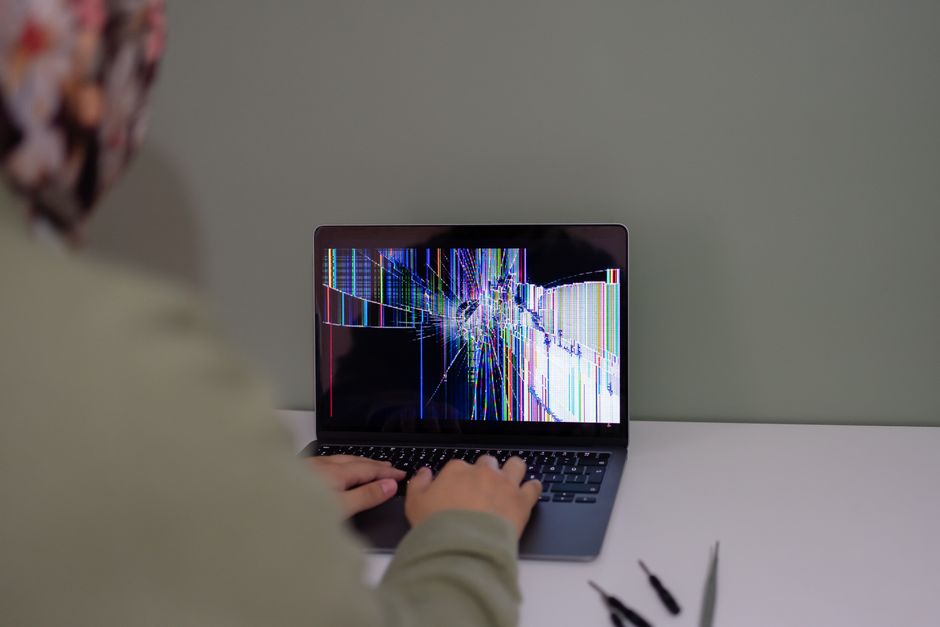
A cracked or black MacBook screen is one of the few laptop problems you cannot work around. You can plug in an external monitor, but the moment you close the lid and walk into a coffee shop on Bloor, the machine is useless. Toronto has a healthy cluster of Mac-focused repair shops, from Koreatown to Markham, and knowing what each one actually does will save you time and money. This guide covers what tends to go wrong with MacBook displays, what determines the repair, and the local shops that advertise screen service.
Why MacBook displays fail so easily
Modern MacBook lids are thin panels held by tight hinges, and that design leaves very little room for error. Pressure from the keyboard, a cable or a pen left on the palm rest when the lid closes can leave a pressure mark that grows into a crack. A drop, a backpack strap pulled tight against the lid, or a small spill near the hinge can all finish the job. Older machines have their own failure modes, including worn display cables and backlights that fade or flicker before they quit entirely.
Common symptoms Toronto owners describe
Screen damage is not always an obvious shattered panel. People bring in machines with a range of complaints, and each one points in a slightly different direction.
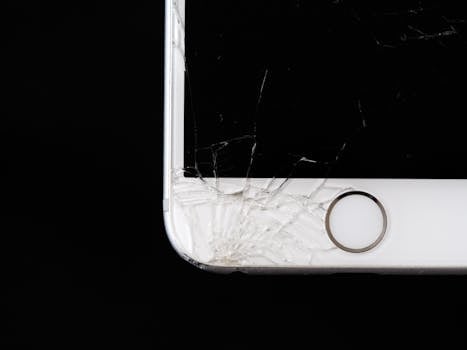
- Visible cracks in the glass, sometimes with the image still working underneath
- A completely black display even though the Mac still chimes, charges or boots
- Flickering, scan lines, or bands of colour across part of the screen
- An image that only appears at a specific lid angle, which often points to a cable rather than the panel
- Dark blotches or discoloured patches, which are typical of pressure damage or liquid
- Staining or a tide mark under the glass after a spill
Those last two categories matter because liquid damage inside a MacBook does not stop at the display. A screen that looks stained may sit on top of corrosion that has already reached the logic board, which is why a proper diagnosis before ordering parts is worth the extra hour.
What actually determines how the repair is done
Two MacBooks with identical-looking cracks can need completely different work. A few factors drive that.
- The model and generation. A MacBook Air and a MacBook Pro do not share display parts, and the panel for one generation rarely fits another.
- Whether the display is a sealed assembly. On most modern MacBooks the glass, panel, backlight and lid come as one unit, so a repair means swapping the whole assembly rather than polishing a scratch.
- Whether the fault is the panel, the cable, or the board behind it. A black screen can be a dead display, a damaged display cable, a logic board fault, or a charging problem that never let the machine boot in the first place.
- Parts availability. Newer machines and unusual configurations can take longer to source, and some shops keep assemblies in stock while others order them in.
That is why a quote over the phone is only as good as the description you give. A model number and a photo of the damage go a long way.
Apple service versus independent Toronto repair shops
Apple publishes a service and repair page for Mac laptops that lets you start a service request for a MacBook Air or MacBook Pro, look up estimated service costs for common repairs, and review AppleCare service options. That route gives you genuine parts and Apple’s own process. Independent shops in Toronto compete on a different pitch: several advertise same-day repair on LCDs and batteries, free quotes, and repairs on older Macs that Apple no longer supports for parts or service.
Doctor Mac Toronto, for example, states a 90-day warranty on Mac repair services in Toronto and lists cracked screens, battery problems, keyboard and trackpad failures, liquid damage, charging issues and logic board problems among the jobs it handles. Other local shops make similar claims, so the sensible move is to compare warranty length, turnaround and parts sourcing before you commit.
MacBook screen repair options in Toronto
The shops below all advertise MacBook screen service or Mac-focused repair in the Toronto area. Details come from their own listings, so confirm current turnaround and pricing directly before you visit.
| Shop | Where | What they advertise |
|---|---|---|
| Doctor Mac Toronto | 727 Bloor St W, Toronto, ON M6G 1L5 (Koreatown, near Christie Station) | MacBook, iMac and Mac mini repair including screens; 90-day warranty on Mac repairs; 416-278-9058 |
| Undoit | Toronto | MacBook-only shop; same-day LCD screen replacement for all MacBook models, plus battery, keyboard, trackpad and liquid damage work |
| WinMac Inc. | Toronto | Mac-only service; screen replacement for MacBook Air and MacBook Pro; free quote; 416-551-2790 |
| CtrlFix | Toronto | Certified technicians handling logic boards, screens, batteries and water damage for MacBook Pro and Air models; 416-595-9595 |
| i-technique | Yonge St near Eglinton | Screen replacement; recommended by a local Reddit user in an r/askTO thread |
| Snap Fix | Pacific Mall, 4300 Steeles Ave E, Markham, ON L3R 0Y5 | MacBook repair; open 365 days a year, 11am to 8pm |
| GTA Mac Repair | Network of 8 MacBook repair shops, including a Downtown Toronto location | Screen replacement and original Apple parts |
Note the geography. Pacific Mall sits in Markham, which may be a longer trip than a downtown shop if you are coming from the Annex, Midtown or the waterfront. A repair that takes a day is still a day, so distance can matter as much as price.
What to ask before you hand over your Mac
A short list of questions separates a confident quote from a guess. Ask these before you leave the machine:
- Do you stock the display assembly for my exact model, or will it be ordered in?
- Is the fault confirmed as the display, or could it be the cable or logic board?
- Is the quoted price for parts and labour together, and could it change after diagnosis?
- How long is the warranty on the screen, and what does it cover?
- Will my data stay on the drive, and do you need my login password?
- Are the parts original Apple components or aftermarket equivalents?
Warranty wording is worth reading twice. Doctor Mac advertises a 90-day warranty on Mac repair services, and other shops publish their own terms. Ask whether the warranty covers the panel only or the labour as well, and whether it survives a second drop.
Preparing your MacBook for the repair
A few minutes of preparation protects you if anything goes sideways.
- Back up to an external drive or cloud service before the machine leaves your hands
- Note your model identifier and serial number so you can quote them accurately
- Sign out of accounts if the shop asks you to, and know your login password if a technician needs to test the display
- Remove any case, skin, dongle or SD card from the machine
- Bring the charger, since some display faults cannot be tested on battery alone
When a black screen is not a screen problem
Not every dark display needs a new panel. A MacBook that never boots, never chimes and never charges may have a logic board or charging fault, and replacing the screen would change nothing. Liquid damage is the classic case: the spill lands on the keyboard, travels through the chassis, and the visible symptom shows up at the display. Doctor Mac lists logic board repair, liquid damage repair and charging issue diagnosis alongside screen work for exactly that reason, and any competent shop should test before ordering a panel.
Booking a screen repair at Doctor Mac Toronto
Doctor Mac Toronto is an independent Apple repair shop at 727 Bloor St W, Toronto, ON M6G 1L5, in the Koreatown stretch near Christie Station. The shop repairs MacBook, iMac and Mac mini hardware, including cracked screens, battery problems, keyboard and trackpad failures, liquid damage, charging issues and logic board faults, and states a 90-day warranty on Mac repair services in Toronto. You can reach the shop at 416-278-9058 to describe your model and the damage and get a sense of timing before you head over.
If you are not sure whether your MacBook needs a screen, bring it in and let someone test it. Diagnosing first is almost always cheaper than replacing a panel that was never the problem.
Frequently Asked Questions
How long does a MacBook screen repair take in Toronto?
It depends on the shop and the model. Several Toronto Mac repair businesses advertise same-day LCD screen replacement, including Undoit, which says it offers same-day LCD work for all MacBook models. If the panel has to be ordered in, expect the job to take longer. Always confirm turnaround for your exact model before you drop the machine off.
How much does a MacBook screen repair cost in Toronto?
Pricing varies by model, generation and parts source, and shops generally quote per machine rather than publishing a flat rate. WinMac Inc. advertises a free quote, and Apple’s Mac laptop support pages list estimated service costs for common repairs. Get at least two quotes with your model number in hand, and ask whether the price covers parts and labour together.
Can a cracked MacBook screen be repaired without replacing the whole display?
On many modern MacBooks the glass, panel and backlight come as one sealed assembly, so the usual fix is a full display swap. Older or simpler designs sometimes allow more targeted work. A technician has to inspect the machine to say which category yours falls into, so treat any quote given without a model number as an estimate only.
Do Toronto repair shops offer a warranty on screen repairs?
Many do, though the terms differ. Doctor Mac Toronto states a 90-day warranty on Mac repair services in Toronto. Before you agree to the work, ask what the warranty covers, whether labour is included, how long it runs, and whether it is voided by a second drop or by liquid exposure after the repair.
Where can I get a MacBook screen repaired near Christie Station?
Doctor Mac Toronto is located at 727 Bloor St W, Toronto, ON M6G 1L5, in Koreatown close to Christie Station, and handles MacBook, iMac and Mac mini repairs including screens. The shop can be reached at 416-278-9058. If you are elsewhere in the city, several other Mac-focused shops operate downtown and in the surrounding GTA.

0 Comments