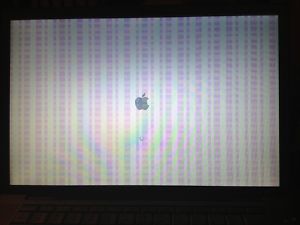
Macbook Video chip failure is one of the more frustrating MacBook problems a user can face. One moment the computer is working, and the next the screen shows colored lines, the machine crashes repeatedly, or it refuses to power on. The video chip, also known as the graphics chip or GPU, is soldered to the logic board. That means the fix is not a simple part swap. It is a logic board level repair that requires specialized equipment and steady hands.
Because the term ” Macbook video chip repair” is used in two different ways, MacBook owners can get confused before they even book a service. One meaning refers to the graphics processor on the logic board. The other refers to a physical chip or crack in the display glass. The two problems look completely different on the screen, and they are fixed in completely different ways. Knowing which one you have is the first step toward a successful repair.
What Is a MacBook Video Chip?
The video chip is the graphics processor that turns data into the images you see on your display. It handles video playback, photo editing, games, and the everyday rendering of the macOS interface. On MacBook models where the GPU is a separate chip, it sits directly on the logic board alongside the CPU and memory. This design works well when everything is healthy, but it creates a challenge when the chip starts to fail because the chip cannot be removed with ordinary tools.
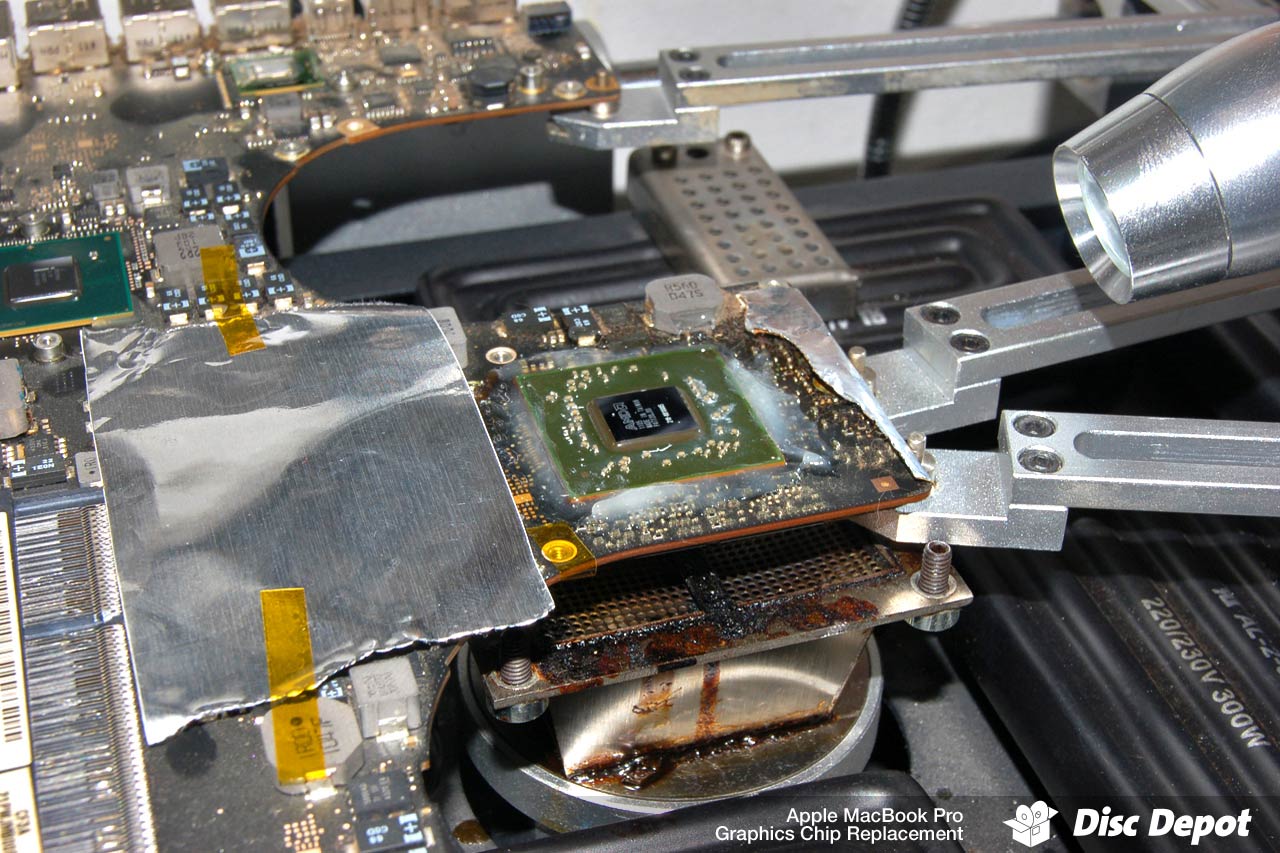
Logic board repair for this type of fault involves diagnosing the board and replacing critical components such as capacitors, resistors, MOSFETs, and IC chips. Depending on the failure, the video chip itself may need to be reballed, reflowed, or replaced entirely. This is advanced soldering work that most general computer shops do not offer.
Symptoms of a Failing Video Chip
MacBook video chip failures tend to share a recognizable set of symptoms. If you notice any of the following, the graphics chip on your logic board may be the cause:
-
Slow or sluggish boot up that gets worse over time
-
Random crashes during graphics heavy tasks or even during normal use
-
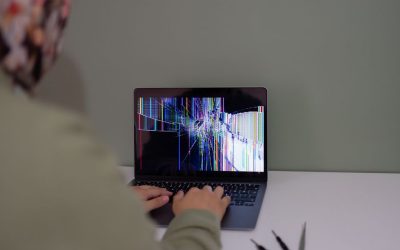
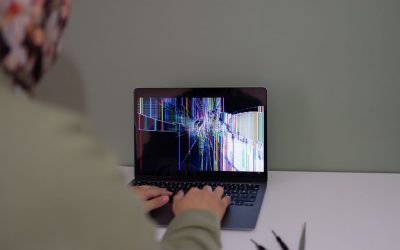
Colored lines, artifacts, or distorted graphics on the screen
-
The MacBook refuses to power on at all
-
The display stays black even though the machine sounds like it is running
These symptoms are well documented in MacBook Pro models from the late 2000s and early 2010s. A failing video chip can also cause the computer to behave normally for a while and then fail suddenly under load. If the problems appear and disappear depending on temperature or activity, a graphics chip fault is a strong possibility.
MacBook Models Commonly Affected by Video Chip Problems
Certain MacBook generations are more likely to develop video chip issues than others. Repair shops that handle these jobs see familiar patterns in specific model numbers. The 2011 MacBook Pro 15 inch, for example, carries the model number A1286 and is known for graphics chip failure. The 17 inch MacBook Pro model A1297 also appears regularly in video chip repair requests.
Earlier machines, including the MacBook Pro 2009 and 2010 models in both 15 inch and 17 inch sizes, are also candidates for video chip replacement. While the exact cause varies, the result is often the same: the graphics output degrades or disappears entirely, leaving the owner with a choice between a board level repair and a new computer.
How Video Chip Repair Is Performed
Video chip repair is not a screen repair, and it is not a simple component swap that can be done with a standard screwdriver set. The repair tech must remove the logic board from the MacBook chassis and inspect it under magnification. The failing video chip is then heated to remove it from the board, the solder points are cleaned and prepared, and a new or reconditioned chip is installed.
Because the process involves advanced soldering, the technician also needs to inspect and test surrounding components. Capacitors, resistors, MOSFETs, and other IC chips can all contribute to video failure if they are damaged. A professional repair service will diagnose the board as a whole instead of blindly replacing the obvious chip. This approach reduces the chance of a return visit.
Many video chip repair services are offered as a contract or mail in service. You send the logic board to the shop, the shop performs the repair on the motherboard, and the board is shipped back to you or reinstalled in your machine. Turnaround time depends on the shop and the availability of the replacement chip.
Video Chip Repair Cost and Warranty
Costs for video chip repair vary depending on the MacBook model and the repair shop. As a reference point, one service lists the 17 inch MacBook Pro A1297 GPU video chip repair at $190.00. Another listing for MacBook Pro 2009 and 2010 models in 15 inch and 17 inch sizes shows a video chip replacement service at $132.30, reduced from $189.00. These are examples, not guarantees, so it is always worth getting a quote from the shop you plan to use.
Warranty coverage matters just as much as the price. Some repair services carry a six month warranty on the same repair. That means if the video chip issue returns within that period, the shop will correct it without charging you again for the exact same work. Before you hand over your logic board, ask about warranty terms and what the policy covers.
Video Chip Fault or Chipped Screen? Two Different Repairs
Many MacBook owners search for “video chip repair” when they actually have a physical chip in their display. This is an easy mix up because both problems involve the word chip. A chipped MacBook screen is a physical crack, nick, or missing piece of glass on the display panel. It is usually the result of an impact, even a small one, and it can be annoying especially when it appears against a black background.
A chipped screen is not a logic board problem. It typically requires a display assembly replacement because the glass, LCD panel, and backlight are fused together in modern MacBooks. Apple recommends visiting an Apple Authorized Service Provider for an accurate diagnosis and repair cost. The repair cost for a display assembly is different from a video chip repair, and the two should never be confused during a service request.
The symptoms also help you tell the difference. A physical chip is visible when the screen is off and looks like a flaw in the glass. A faulty video chip produces boot failures, crashes, colored lines, and graphics glitches. If you see distortion that moves or changes with the content on screen, that is a GPU problem. If you see a fixed mark in the glass, that is a damaged display.
Can You Repair a Video Chip Yourself?
DIY MacBook repair is possible, and resources exist for people who want to try. iFixit provides free step by step repair instructions, manuals, schematics, and community support for MacBook Pro models. These resources are valuable for screen replacements, battery swaps, and other component level work.
Video chip repair, however, sits at the difficult end of the DIY spectrum. It requires a rework station, soldering experience, and the ability to work with tiny surface mount components. A mistake can damage the logic board beyond recovery. If you have the right equipment and experience, the iFixit guides are a good starting point. If not, a professional logic board repair service is the safer route.
Repair or Replace the MacBook?
When a MacBook dies or shows video chip failure, owners quickly face a bigger question: is the repair worth it? A video chip repair is usually far less expensive than replacing the computer, especially for a machine that is otherwise in good condition. But the age of the MacBook and the cost of the repair both matter.
Even a newer machine like a 16 inch MacBook Pro can fail, and owners have to weigh repair options, pros and cons, and overall cost. For older models, a logic board repair can give the laptop a new life for a fraction of a replacement cost. For machines with other serious issues, replacement may make more sense. A reliable repair shop can assess the logic board and give you an honest recommendation before you spend money.
Frequently Asked Questions
How much does MacBook video chip repair cost?
Typical video chip repair prices vary by model and shop. One service charges $190.00 for the 17 inch MacBook Pro A1297 GPU video chip repair. Another lists video chip replacement for 2009 and 2010 15 inch and 17 inch MacBook Pro models at $132.30, down from $189.00. Always request a specific quote for your model before approving the work.
Is a chipped screen the same as a faulty video chip?
No. A chipped screen means the display glass is physically damaged and usually requires a display assembly replacement. A faulty video chip is a graphics processor problem on the logic board that causes crashes, colored lines, slow boot, or a machine that will not power on. The repair methods and costs are completely different.
Does video chip repair come with a warranty?
Some repair services provide a six month warranty on the same repair. This means the shop will address a recurrence of the exact video chip issue without charging for the same work again. Ask the repair provider about their warranty terms before you send in your logic board.
Can I fix the MacBook video chip myself?
You can find free step by step repair instructions, manuals, schematics, and community support online from resources like iFixit. However, video chip repair requires advanced soldering skills and specialized equipment. Most owners are better off hiring a professional logic board repair specialist to avoid permanent damage to the board.

0 Comments